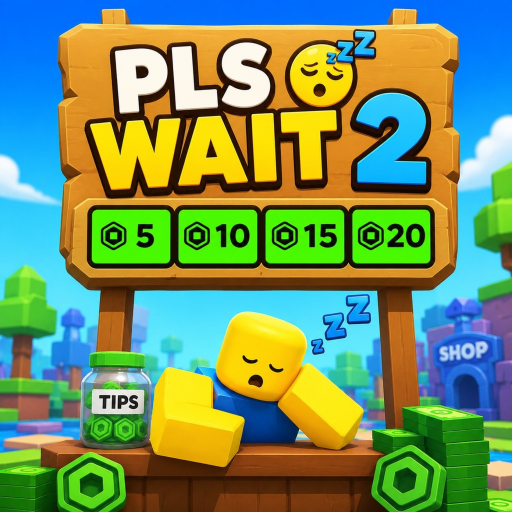
Donation Sign in PLS WAIT
Make your stand look intentional so donors trust the booth before they read a word.
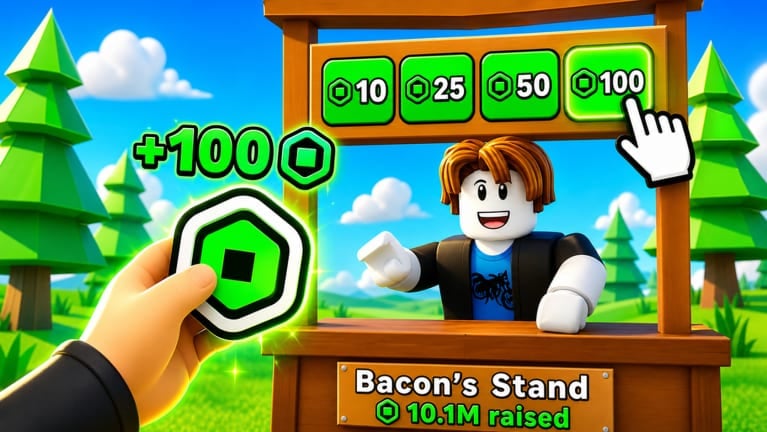
Donation Sign is the presentation pass in PLS WAIT on Roblox. It does not print Robux, skip the 14-day group wait, or replace strong booth copy — but it gives your stand a visual signal that you are set up to receive support. This guide explains what the pass actually does, when it beats Anti AFK (and when it does not), how to pair it with text tools, and how it fits Fixed Donations farming without confusing PLS DONATE muscle memory.
Sibling pages: Gamepasses, Anti AFK, Worth buying, and the AFK & Passes hub.
What Donation Sign adds to your booth
Community listings and in-game descriptions frame Donation Sign as a prop that displays donation buttons and custom text alongside your stand. Think of it as a trust layer:
- Donors scan dozens of booths in seconds.
- A bare stand with tiny text blends into the crowd.
- A sign-backed booth reads as “this player invested in being here.”
- The pass travels with your presentation even when you step away from keyboard — especially relevant if you also own Anti AFK.
Donation Sign is not required to receive tips. Plenty of players earn without it. What you buy is polish, not permission.
Live price and what to verify
Rolimon’s and other trackers commonly list Donation Sign around 99 Robux on the Fixed Donations build, with Anti AFK near 199 Robux, Early Access near 399 Robux, and VIP pricing that can shift or go offsale between place migrations. Roblox lets developers retune pass prices anytime — always open the official experience at PLS WAIT and confirm the live number before you spend.
When to buy Donation Sign versus Anti AFK
These two passes solve different problems. Buying the wrong one first is the most common “wasted Robux” story in donation Discords.
| Question | If yes, prioritize |
|---|---|
| Do idle kicks end your sessions before donors arrive? | Anti AFK |
| Can you already AFK 20+ minutes but tips feel low? | Donation Sign + better text |
| Is your booth text empty or confusing? | Fix copy first — see booth text fix |
| Do you only play ten-minute social visits? | Maybe neither pass yet |
Rule of thumb: solve session length before presentation. A beautiful sign on a stand that disconnects every fifteen minutes still loses. Once Anti AFK (or stable manual play) is handled, Donation Sign becomes the next upgrade for players who care about brand at the booth.
Pairing Donation Sign with booth text
A sign without readable copy is jewelry on a blank resume. Use both layers:
- Draft a clear headline with the booth text generator.
- State a honest goal — saving for a pass, funding a project, or just vibing — without scammy promises.
- Keep lines short; mobile readers skim.
- Re-test after Stand RNG rolls if cosmetics change layout.
- Revisit Get more donations for reciprocity habits (tip others, earn Points, stay social).
If text looks broken after an update, walk through Booth text fix before blaming the pass.
Donation Sign for AFK versus active hosts
AFK farmers: Donation Sign is indirect value. You are not chatting, so the sign plus static text must do all persuasion. Pair with Anti AFK, stable Wi-Fi, and a message that still makes sense at hour three.
Active social hosts: Donation Sign matters less if you greet donors live — but it still helps distant walkers who never open chat. VIP and Point Shop flex can stack on top; see Worth buying for priority order.
Fixed Donations context (do not skip)
PLS WAIT stores tips in-game, not as a normal Roblox Transactions line. Owning Donation Sign does not move balances into your account profile or shorten the 14-day X Studios group claim requirement. Track eligibility with the group wait tool and read Fixed Donations if empty Transactions panic you.
After Roblox’s May 2026 donation-genre disruption, some players assume PLS DONATE Transfers rules apply here. They do not — PLS WAIT’s model is different. See Platform changes and PLS WAIT vs PLS DONATE.
Suggested setup checklist
- Join the group day one so the claim clock runs.
- Claim a stand on place
14458936637(not a legacy bookmark). - Write booth text before buying any pass.
- Buy Anti AFK if idle length is your bottleneck.
- Add Donation Sign when presentation is the bottleneck.
- Budget tips separately with the donation calculator.
- Ignore fake codes promising free signs.
What Donation Sign never does
- Never guarantees donations or donor quality.
- Never replaces Points — donate to earn Points for the Point Shop hub.
- Never skips group membership time.
- Never fixes offensive or misleading text.
- Never makes scripts safe.
Related links
- Gamepasses — full pass comparison table.
- Worth buying — tier-style ranking by player type.
- Anti AFK — long idle sessions.
- Get more donations — stand strategy beyond cosmetics.
- Official Links — Discord and group shortcuts.
Donation Sign is the finishing touch for stands that already stay online and say something worth reading. Buy it when trust and presentation — not kick timers — are what hold you back.
Frequently Asked Questions
Quick answers to the most common PLS WAIT questions.
What does the Donation Sign pass do in PLS WAIT?
It adds a presentation prop that helps your stand look set up for donations, pairing with your booth text and buttons.
Is Donation Sign required to receive Robux tips?
No. You can receive support without it. The pass is a visual trust upgrade, not a requirement.
Should I buy Donation Sign or Anti AFK first?
Buy Anti AFK first if idle kicks cut your sessions short. Add Donation Sign when session length is already solved.
How much does Donation Sign cost?
Trackers often list about 99 Robux, but confirm the live price inside the official PLS WAIT experience before buying.
Does Donation Sign show tips in Roblox Transactions?
No. Fixed Donations balances stay in-game until you claim after 14 days in the X Studios group.